EbSynthTranslation site

11mos agorelease 885,570 0 95.1K

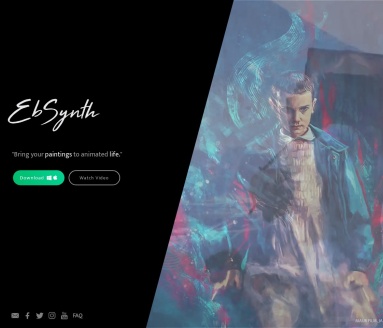
EbSynth is an AI video editing tool developed by Secret Weapons, allowing users to paint on a single frame and automatically apply that style to the entire video sequence...

Location:
India
Language:
IN
Collection time:
2025-05-30
EbSynthEbSynth

In today’s wave of digital content creation, video stylization has become a crucial means to capture audience attention. EbSynth, an AI video editing tool developed by Secret Weapons, is becoming a new favorite among creators with its unique features and simple operation.

  • Single Frame Painting, Full Video Stylization: Users only need to paint on a single keyframe of the video, and EbSynth can automatically apply that style to the entire video sequence, greatly simplifying the video style transfer process.
  • High-Quality Output: EbSynth employs advanced non-parametric texture synthesis algorithms to ensure that the details and textures of the original video are preserved during the style transfer process, generating high-quality outputs.
  • Support for Diverse Artistic Styles: Whether it’s oil painting, watercolor, or cartoon styles, EbSynth can easily achieve them, meeting the needs of different creators.
  • Cross-Platform Compatibility: Currently, the beta version of EbSynth supports Windows and macOS systems, with plans to expand to more platforms in the future, making it convenient for more users to use.
  • Easy Operation: Users do not need professional animation production experience; simple painting operations can achieve video style transfer.
  • Time-Saving: Compared to traditional frame-by-frame drawing methods, EbSynth significantly reduces creation time and improves work efficiency.
  • Free to Use: Currently, the beta version of EbSynth is available for users to download and use for free, reducing creation costs.
  • Relevant Navigation

    Unscreen

    Unscreen

    Unscreen is an innovative online tool that leverages advanced artificial intelligence technology to automatically remove video backgrounds. Users can upload videos or GIFs without the need for green screens or complex chroma key techniques, and Unscreen will analyze and remove the background, generating background-free videos or GIFs. The tool supports various video formats, including MP4, WebM, MOV, and GIF, offering both free and professional versions. The professional version supports high-definition resolution, watermark-free videos, full video clip downloads, and audio support. Additionally, Unscreen provides plugins for Adobe Premiere Pro and After Effects, allowing seamless integration into video editing software.